

Email sidekick
Operate where work shows up
Briefli sits right inside Outlook and gets to work the moment you open an email. Ask questions, pull out the details that matter, and move freight faster — no new tabs, no extra tools.
Order #78421 Not Delivered
D
Sender <dmorris@gmail.com>
To: You
Thu 26/01/2023 05:26
Hi Support Team,
I’m reaching out regarding Order #78421, which was marked as delivered yesterday (February 23), but I have not received the package.
The tracking page shows delivery at 2:14 PM, but there was no package at my front door, mailbox, or with neighbors. Could you please investigate this as soon as possible? The items are needed urgently.
Shipping Address:
1258 Westbrook Lane Apt 4B
Chicago, IL 60614
1258 Westbrook Lane Apt 4B
Chicago, IL 60614
Thank you,
Daniel Morris
Daniel Morris
Chat
Overview
SOPs
How do I handle missing orders?
Thinking...
Here's what your SOP-LOG-004 says about missing orders:
1. Audit current missing order rate by DC and carrier – establish baseline
2. Map your highest-risk lanes (where missing orders have the biggest margin)
3. Prioritize tech/process fixes for top 20% of lanes driving 80% of missing order incidents
4. Negotiate carrier SLAs to include loss/damage accountability
5. Monthly review: track missing orders as KPI; link to incentives for DC/carrier accountability
1. Audit current missing order rate by DC and carrier – establish baseline
2. Map your highest-risk lanes (where missing orders have the biggest margin)
3. Prioritize tech/process fixes for top 20% of lanes driving 80% of missing order incidents
4. Negotiate carrier SLAs to include loss/damage accountability
5. Monthly review: track missing orders as KPI; link to incentives for DC/carrier accountability
Features
Stop reading. Start knowing.
Briefli plugs into Outlook and gets straight to work. Here's what it does for your logistics team every day.
Chat
Ask once, get the answer, keep orders moving
Stop hunting through threads. Type your question and get a clear answer pulled straight from your emails.
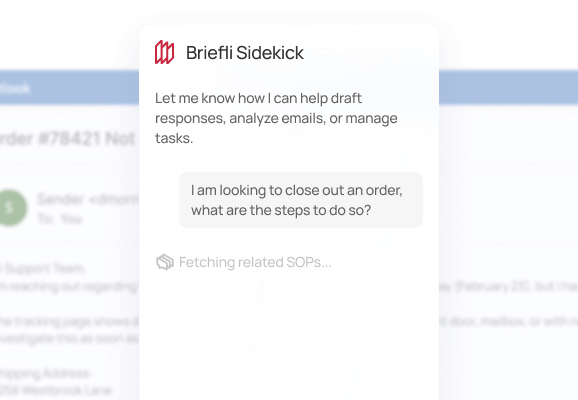
Ask in plain language. Get a plain answer.
Go from question to done without switching tools
Define new processes right in your inbox
Describe how your team handles a task and Briefli builds the SOP
Ask once. Stop asking around.
New hires get up to speed by asking — not by guessing
Insights
The short version, with all the right details
Open an email and instantly see what it means, what it contains, and what happened before it arrived.
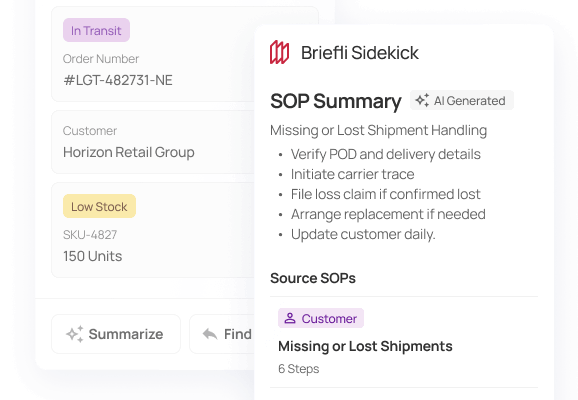
Summarize complex workflows
SOP summaries that tells you the point without the padding
Key data pulled out automatically
Extracted order details, shipment data, and SKUs - ready to use
Full action audit trail
Action timeline so you can see the full picture at a glance
SOPs
Your team's playbook, always within reach.
Upload your standard operating procedures and Briefli puts them to work — right where decisions get made.
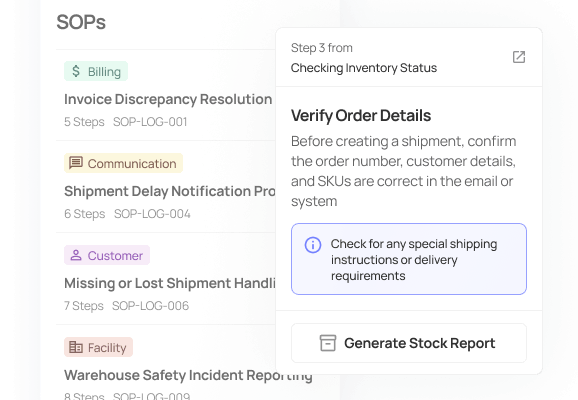
Get the next right move from your SOPs
Upload your SOPs once and put them to work immediately
Procedure-backed answers
Keep everyone following the same process without chasing docs
Consistent decisions across your team
New team members get up to speed with answers using your own rules
Actions
Stop copying. Start creating.
The details are in the email. Briefli turns them into the next step — so nothing falls through the cracks.
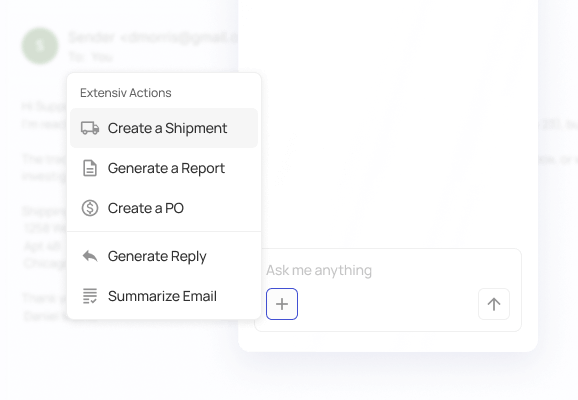
Create orders directly from the request
Create orders directly from email data without manual re-entry
Generate meaningful reports
Generate ready-to-share reports starting from scratch
Respond with confidence
Draft replies and summaries in seconds so you close the loop fast
Getting Started
How it works
See how Briefli adapts to rail ops, shippers, forwarders, and the warehouse floor.
1
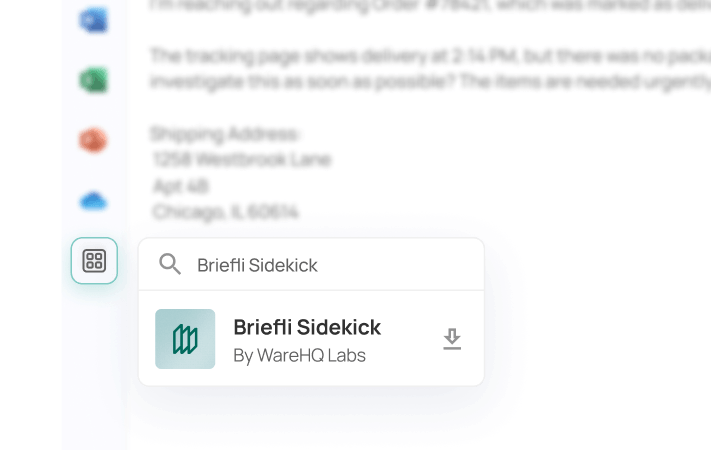
Download Briefli Sidekick
After signing in to Microsoft, go to the app store and download Briefli Sidekick.
2
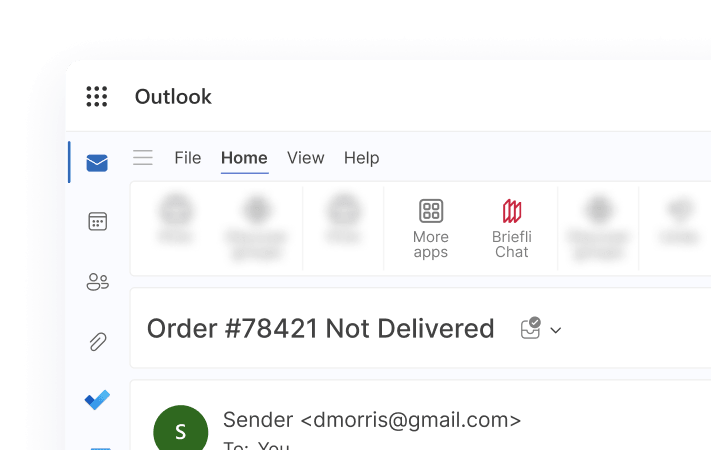
Open from the add-ons menu
In a signed-in Outlook account, click on the add-ons menu and select Briefli Sidekick.
3
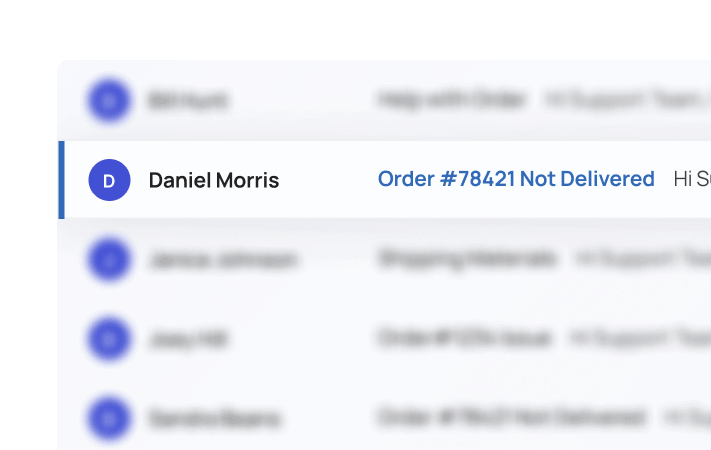
Open from the add-ons menu
In a signed-in Outlook account, click on the add-ons menu and select Briefli Sidekick.
Make your inbox work like a system
Upload a few real jobs, run a playbook, and see the minutes saved and errors caught. No IT project, no long setup.